System Utility • Open Source
TopMonitoring

Windows hardware real-time overlay

A lightweight Windows overlay to display real-time hardware metrics such as CPU, GPU, RAM, Disk, and Network. Built with WPF and LibreHardwareMonitor. Designed for minimal distraction: always-on-top, compact, customizable, and fast.

Fetching latest release...

Status:Active Development
Type:System Tool
Platform:Desktop / Windows

Screenshots

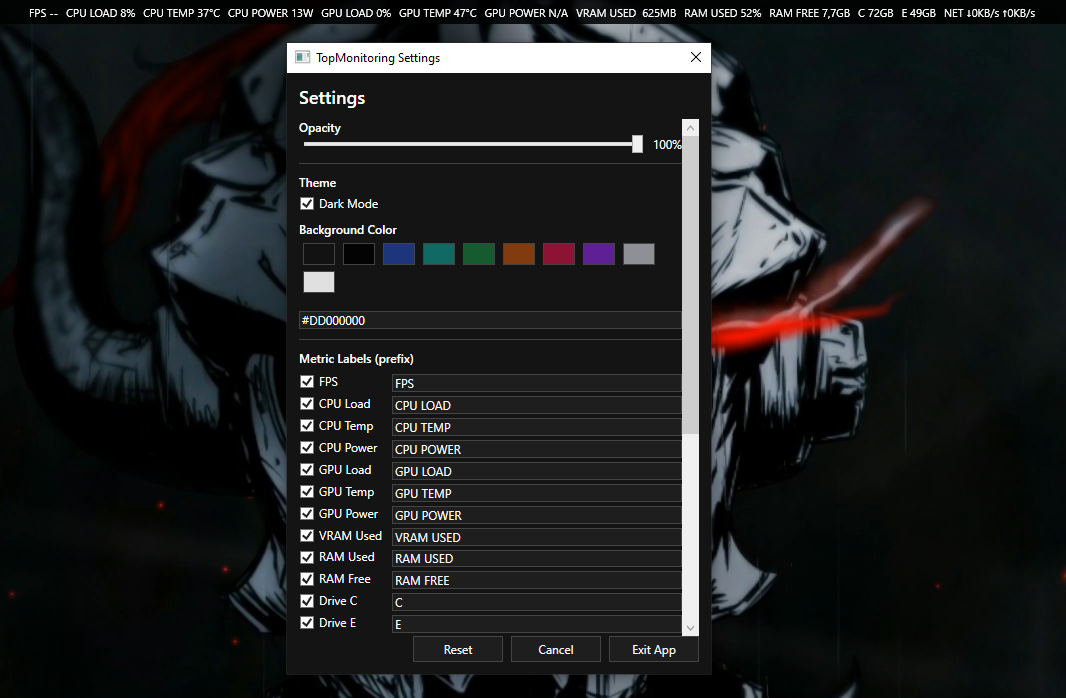
TopMonitoring Overlay Dock
Overlay Dock — Always-on-top compact bar
TopMonitoring Dark Theme
Dark Theme
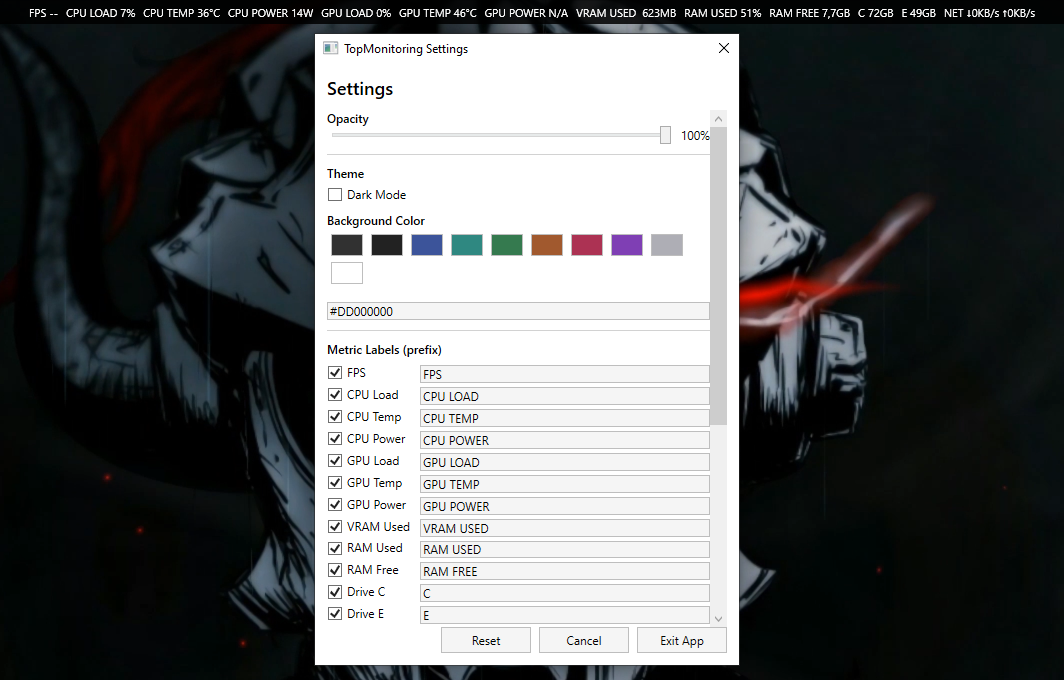
TopMonitoring Light Theme
Light Theme

Features

🖥 Overlay / Dock

  • Always-on-top top bar overlay (minimal distraction)
  • Transparent dock background support
  • Fixed metric order (MSI Afterburner-style layout)
  • Clean centered metric value alignment
  • Safe N/A fallback when sensor data unavailable

📊 Real-time Metrics

  • CPU Load / Temperature / Power
  • GPU Load / Temperature / Power
  • VRAM Used
  • RAM Used / RAM Free
  • Disk usage
  • Network throughput (Down / Up)

Settings & Customization

  • Dark / Light mode theme toggle
  • Adjustable background opacity with live slider
  • Background color picker + HEX input
  • Customizable metric labels (prefix renaming)
  • Enable / disable individual metrics in real-time
  • Metric order editor (Up / Down reorder)

Quality & Stability

  • Stable, optimized update loop
  • Autosave settings — no manual save needed
  • Safe fallback: missing sensor returns N/A
  • Lightweight WPF overlay with minimal resource usage

Tech Stack

▹ C# ▹ .NET 8 ▹ WPF ▹ LibreHardwareMonitor

Requirements


Download TopMonitoring

Get the latest stable release. Extract the zip and run — no installation needed.

Portable .exe — no installer required. Run as administrator for full sensor access.